StackGP.optimizeModel#
StackGP.optimizeModel(model, inputData, responseData, bounds=None, **kwargs)
optimizeModel is a StackGP function that optimizes the numeric constants in a StackGP model. It utilizes scipy.optimize.differential_evolution under the hood and can use any optional arguments available for scipy’s differential evolution.
The function has 3 required arguments: a model, an inputData data set, and the responseData dataset.
and has 1 optional arguments, bounds
The arguments are described below:
model: The model to optimize.
inputData: The input data set.
responseData: The response vector.
bounds: The bounds for the search space. The default setting is
bounds=None.
First we need to load in the necessary packages
import StackGP as sgp
Overview#
Optimizing an Evolved Model#
Here we generate a random benchmark problem with 5 features and 100 data points which we will use for training.
inputData, response, targetModel = sgp.generateRandomBenchmark(numVars=5, numSamples=100, maxLength=20)
sgp.printGPModel(targetModel)
Here we use the evolve function to train a population of models.
models = sgp.evolve(inputData, response, liveTracking=True, generations=100)
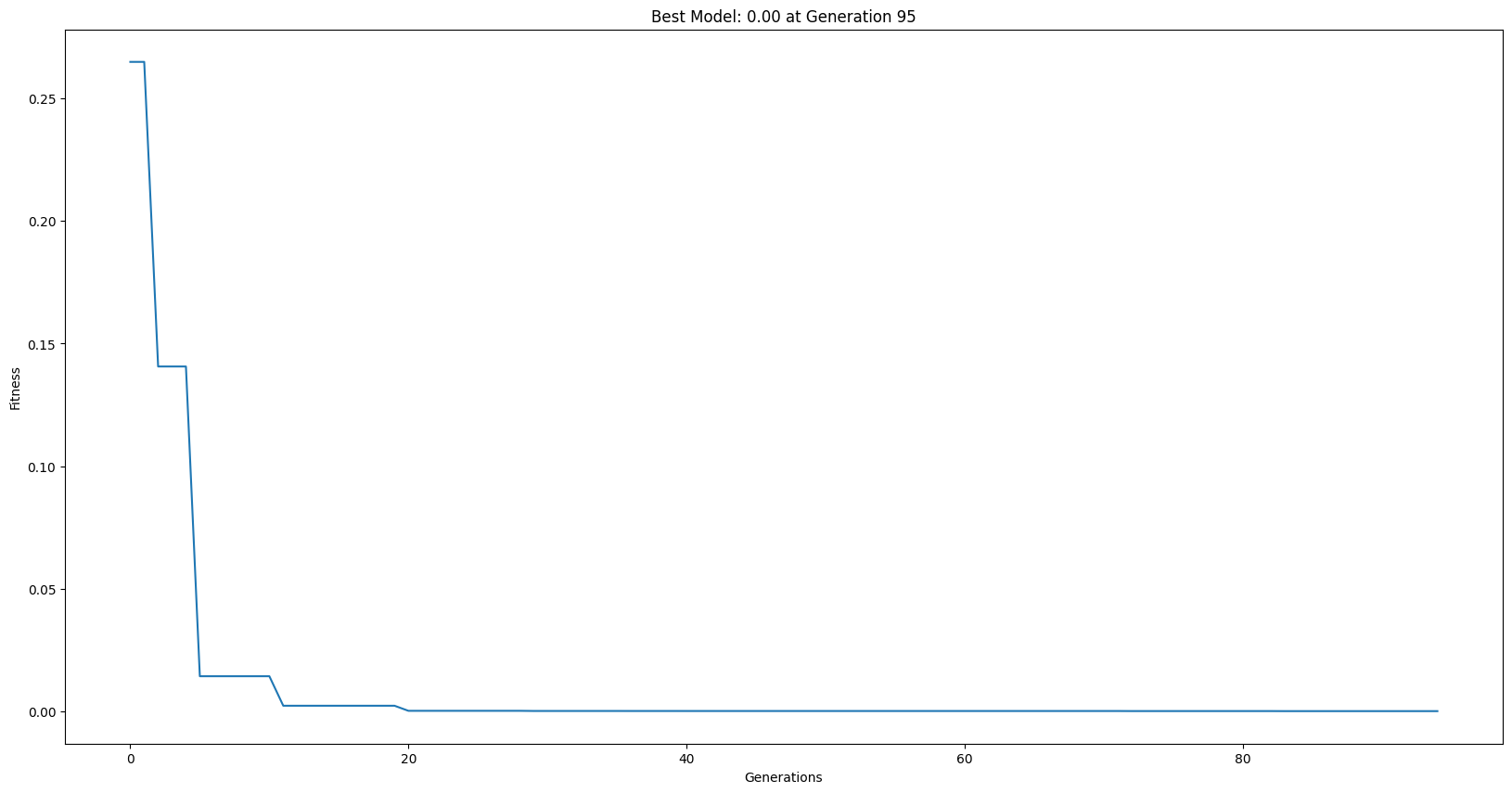
Here we look at the most fit model evolved.
sgp.printGPModel(models[0])
Now we optimize the constants in that model using the optimizeModel function.
optimizedModel = sgp.optimizeModel(models[0], inputData, response)
We can see the new optimized model using the printGPModel function.
sgp.printGPModel(optimizedModel)
Options#
This section showcases how each of the different arguments can be used with the optimizeModel function.
bounds: Controlling the search bounds#
We can control the range of values searched for each parameter using bounds.
In this example, we start with a specific model that does not quite fit the generated data below.
import numpy as np
model = [np.array([sgp.sub, 'pop', 'pop', sgp.sub, 'pop', sgp.inv]), [3.12, 20.2, sgp.variableSelect(0)], []]
inputData = [[0.33427053, 0.89838617, 0.63117277, 0.29983736, 0.86591389, 0.75842272, 0.67449836, 0.42196129, 0.72878102, 0.90504893]]
responseData = [-0.06942813, -0.06681142, -0.06802588, -0.0695945 , -0.06695669, -0.06744208, -0.06782598, -0.06900799, -0.06757718, -0.0667817 ]
sgp.printGPModel(model)
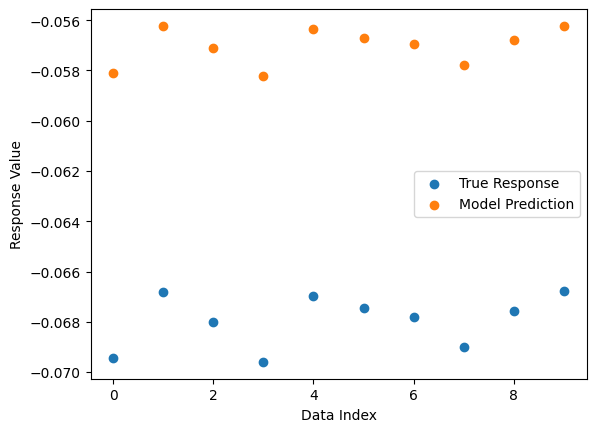
We can see the model fit below compared to the real data.
sgp.plotModelResponseComparison(model, inputData, responseData)
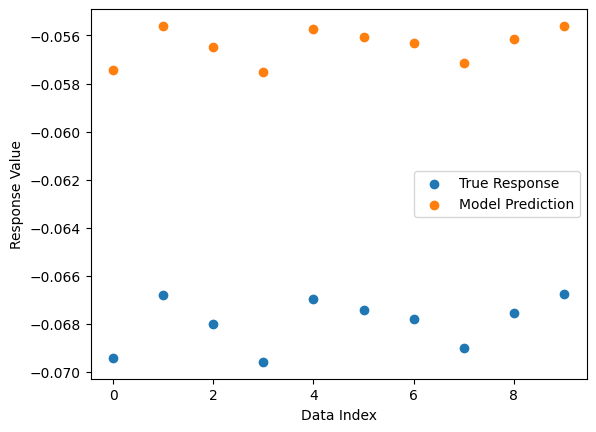
Now we can fit the model constants to the data using the optimizeModel function. We will use the default bounds=None option so we don’t have to specify a range to search within.
newModel = sgp.optimizeModel(model, inputData, responseData, bounds=None)
sgp.printGPModel(newModel)
Now we can see that the new model perfectly fits the data.
sgp.plotModelResponseComparison(newModel, inputData, responseData)
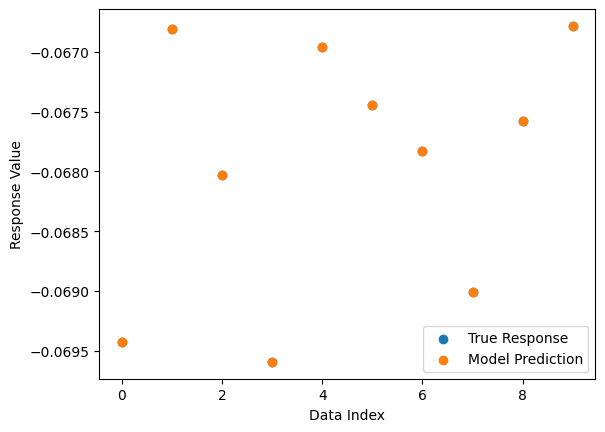
Now we can change the bounds to search within (0,3.12) for the first paramter and (20,30) for the second paramters. These bounds do not include the best fit parameters, so we won’t be able to find a perfect fit.
altModel = sgp.optimizeModel(model, inputData, responseData, bounds=[(0, 3.12), (20, 30)])
sgp.printGPModel(altModel)
Below we can see the new fit from the optimization with incorrect bounds. The fit is clearly not perfect.
sgp.plotModelResponseComparison(altModel, inputData, responseData)
Examples#
This section some neat examples using the optimizeModel function.
Interesting example title#
Here we generate a benchmark with a lot of constants that will be challenging to learn.
inputData, response, targetModel = sgp.generateRandomBenchmark(opsChoices=[sgp.add, sgp.mult], numVars = 3, maxLength=20)
sgp.printGPModel(targetModel)
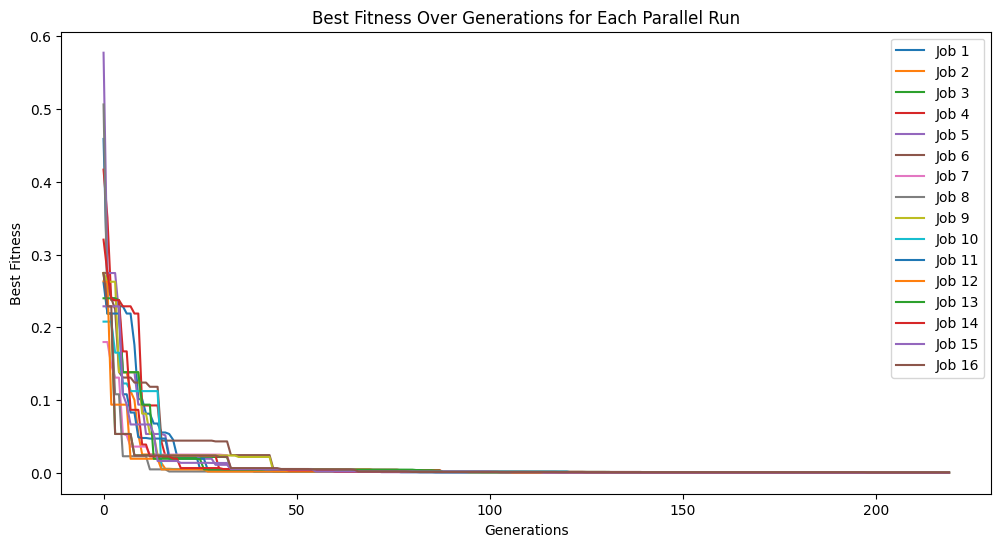
Now we train models using the parallelEvolve function.
models = sgp.parallelEvolve(inputData, response, liveTracking=True, tracking=True, generations=10, cascades=True, cascadeCount=20, exchangeCount=10)
We can see the generated model below.
sgp.printGPModel(models[0])
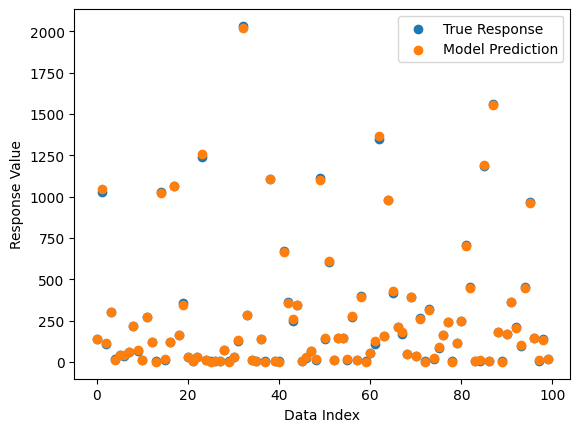
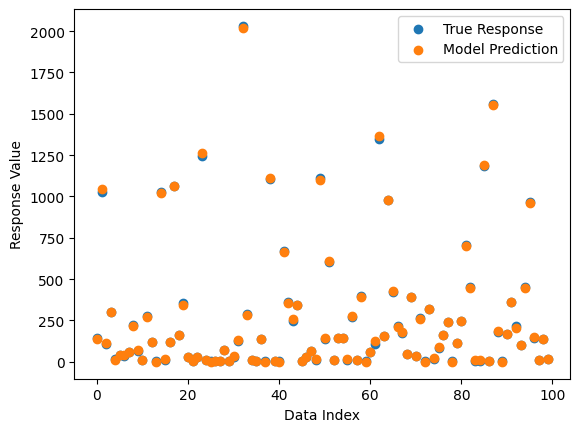
The predictions are pretty good but not perfect.
sgp.plotModelResponseComparison(models[0], inputData, response)
Here we optimize the model’s constants. Since there are a lot of constants, this process is not fast. This is why models are not automatically optimzed during the search process.
newModel = sgp.optimizeModel(models[0], inputData, response)
sgp.printGPModel(newModel)
We can see that while this model is still an approximation, the predictions get a little better.
sgp.plotModelResponseComparison(newModel, inputData, response)